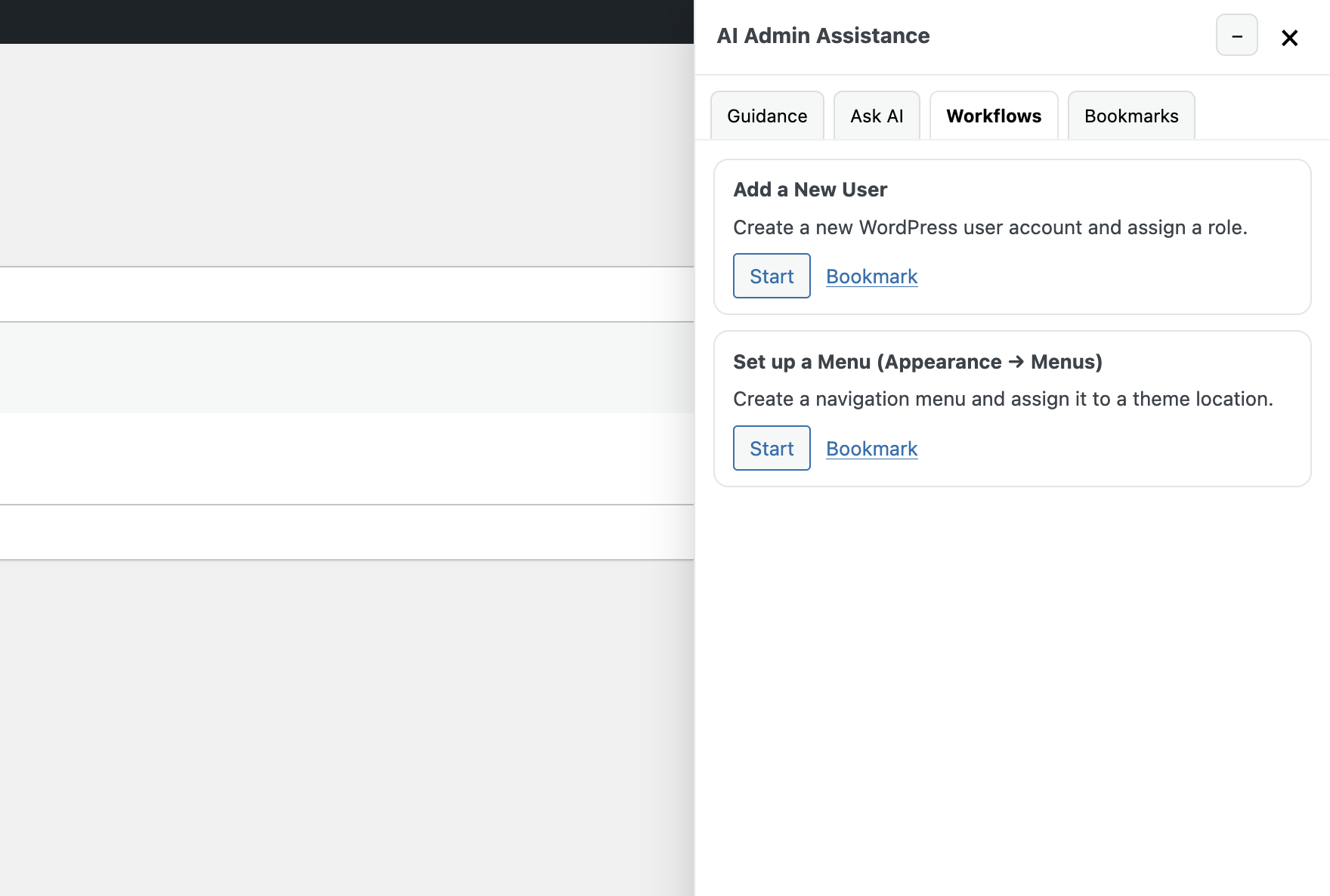
With the pro version of our WordPress AI Admin Assistance Plugin, you can add workflows to the admin assistance panel. These are full step-by-step instructions/tutorials that can be set to run on specific screens in the WordPress admin to, for example, help a user set up a new plugin, configure a theme, create new posts in a custom post type, etc.
Workflows show in their own tab in the panel.
Add a New Workflow
To add a new workflow, in your WordPress admin, go to Admin Guidance > Workflows > Add New Workflow.
Set a title and description for your workflow, which will show in the card in the panel and help users quickly identify it.
Below where you set the title and description, you will see a panel called Workflow Steps & Targeting. Here is where you will configure all the info that shows as part of this workflow.
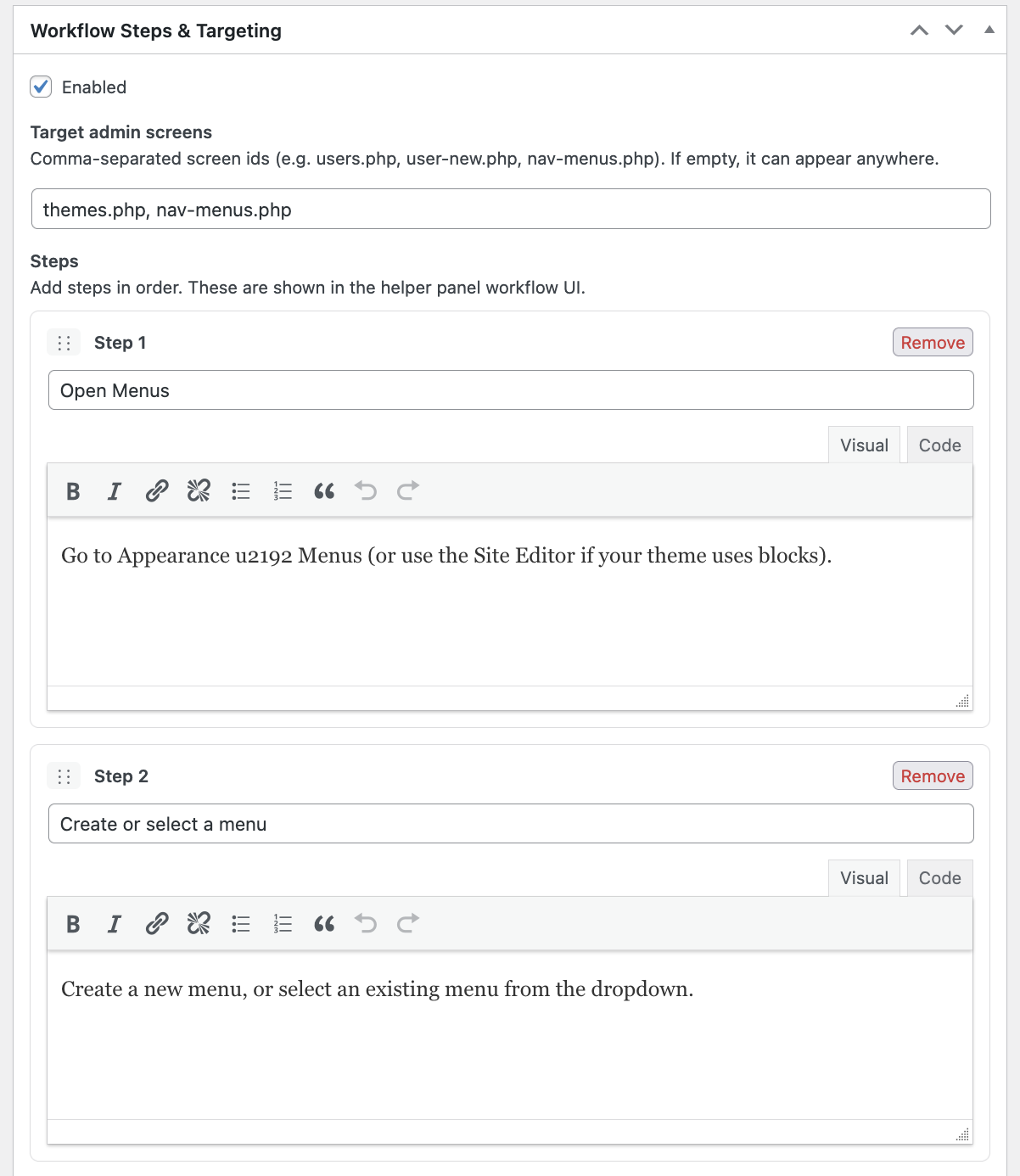
On this screen, you can set the following info for the workflow:
- Target admin screens: Here you can specify a comma-separated list of IDs for screens on which this specific workflow will show (in the Workflows tab in the admin assistance panel).
- Steps: Here you configure all the different steps for your workflow, including a title and content for each. Users will have the ability to click Next to move through each step in the workflow.